Web Development
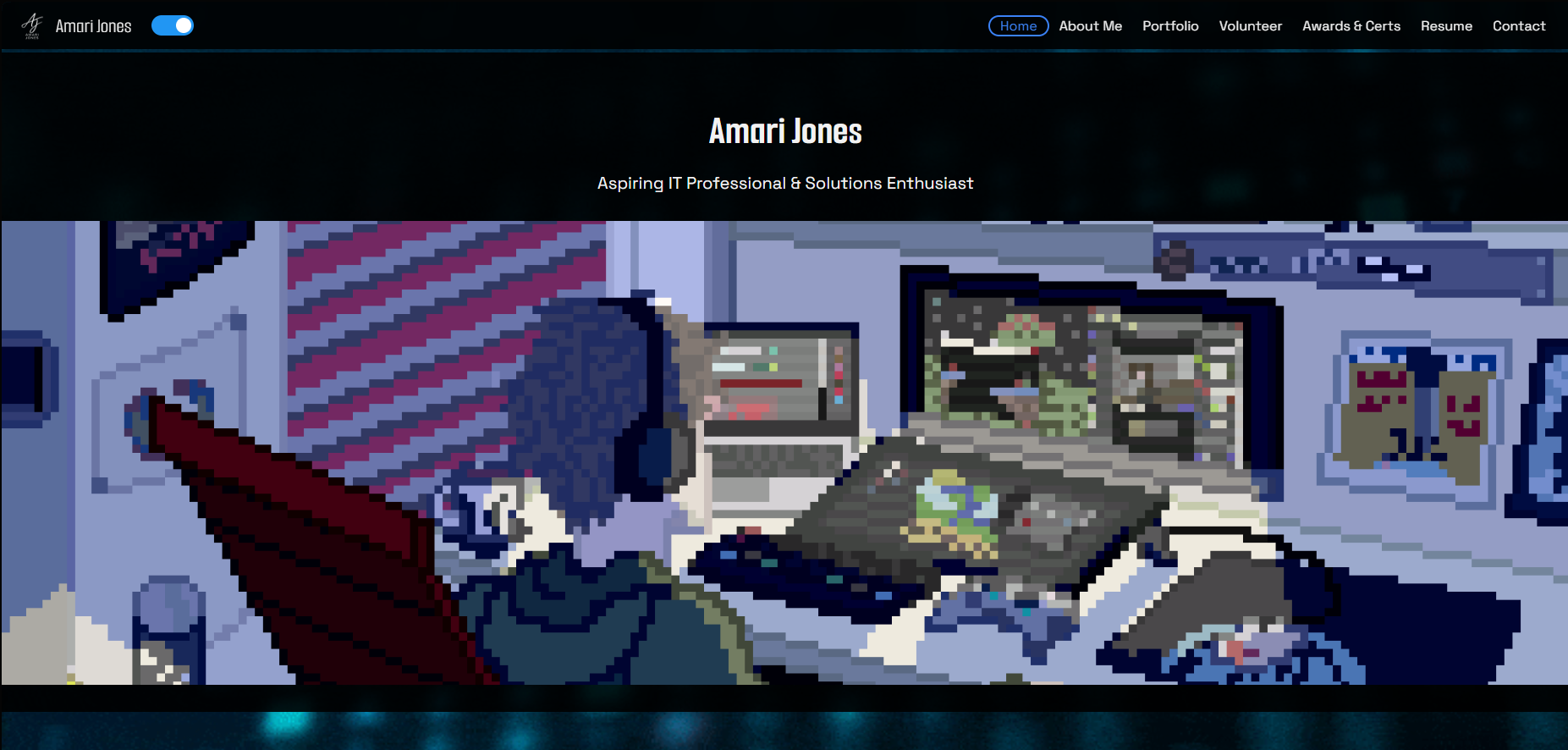
Previous Website Design
Explore my earlier personal portfolio, with its original animated hero, multi-page layout, and light and dark themes.
A Power BI dashboard that tracks software approval renewals and helps prioritize procurement and security assessment requests.
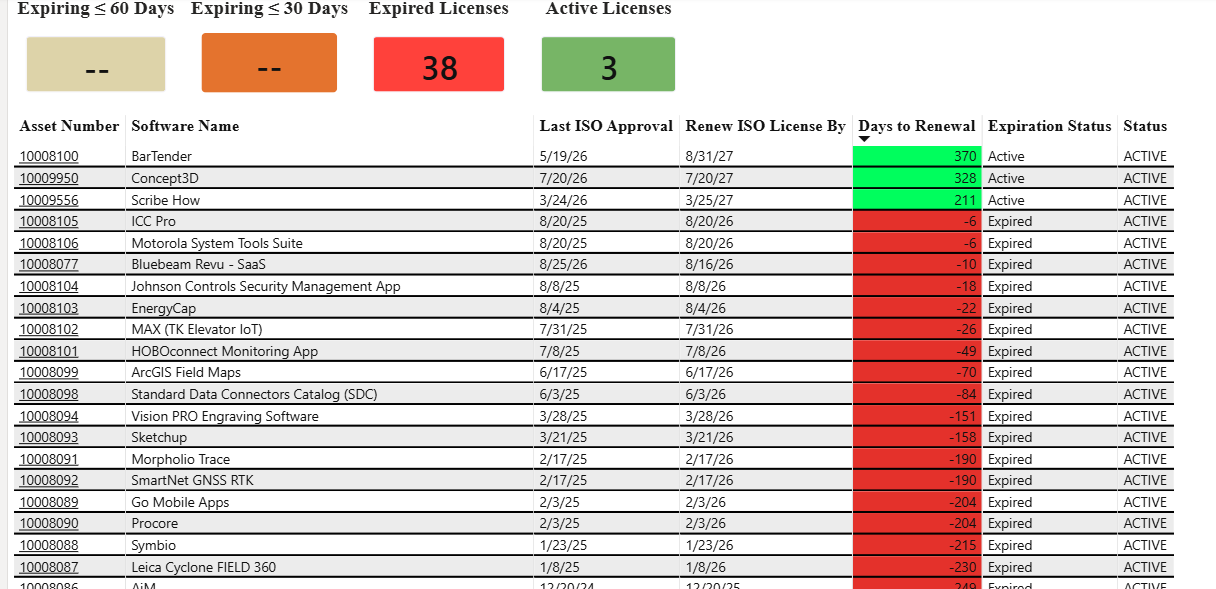
Software approval and licensing renewal dates were difficult to keep up with, and some renewals were not completed in time. The team needed a central view of its software catalog and upcoming approval deadlines so procurement and information security assessment requests could be prepared earlier.
I built a Power BI dashboard that tracks software as assets and brings approval dates, renewal deadlines, and expiration status into one view. The associated workflow sends notifications when approvals are approaching expiration, helping the team identify which applications need attention and begin the procurement and assessment process.
I developed the project end to end, including the data queries, DAX calculations, dashboard layout, and visuals.
The team can review the renewal indicators, identify the relevant software assets, and use the upcoming-expiration notifications to begin assessment and procurement requests. The table separates expiration status from the asset’s operational status, helping distinguish an active software asset from an approval that needs renewal.
The dashboard made software tracking easier and helped the team submit assessment requests. It provides a clearer view of renewal timing and the applications requiring follow-up.
Explore my earlier personal portfolio, with its original animated hero, multi-page layout, and light and dark themes.
A strategic look at the cybersecurity industry and the security analyst role.
Explore projectA personal Wazuh lab in VirtualBox for learning security monitoring, alert review, and endpoint visibility.
Explore project