Networking
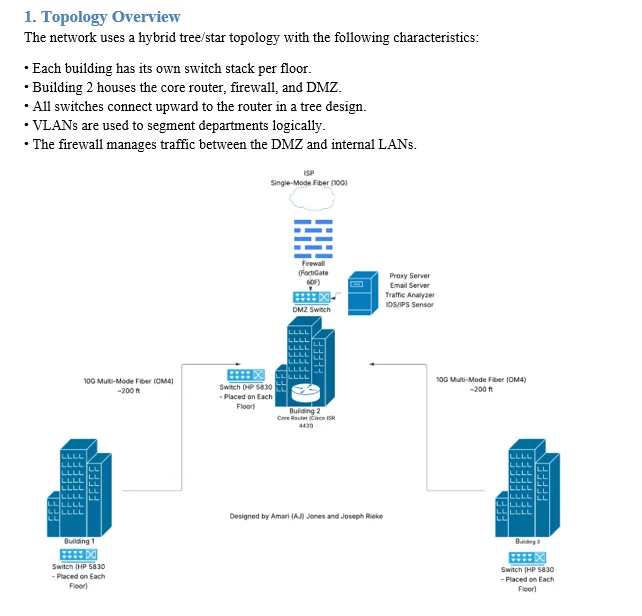
ABC Company Net Architecture Design Project
A network architecture for a multi-building enterprise.
Explore projectA personal Wazuh lab in VirtualBox for learning security monitoring, alert review, and endpoint visibility.
Build practical experience with a security information and event management (SIEM) platform in a home lab. My focus is learning how security events are collected, organized, and investigated through a central interface.
The lab uses the Wazuh virtual appliance in VirtualBox on my Windows computer. The all-in-one appliance brings the Wazuh server, indexer, and dashboard together in one virtual machine.
I imported the Wazuh appliance into VirtualBox and worked through virtual-machine startup issues. Adjusting the VM’s resource allocation helped get the virtual machine running.
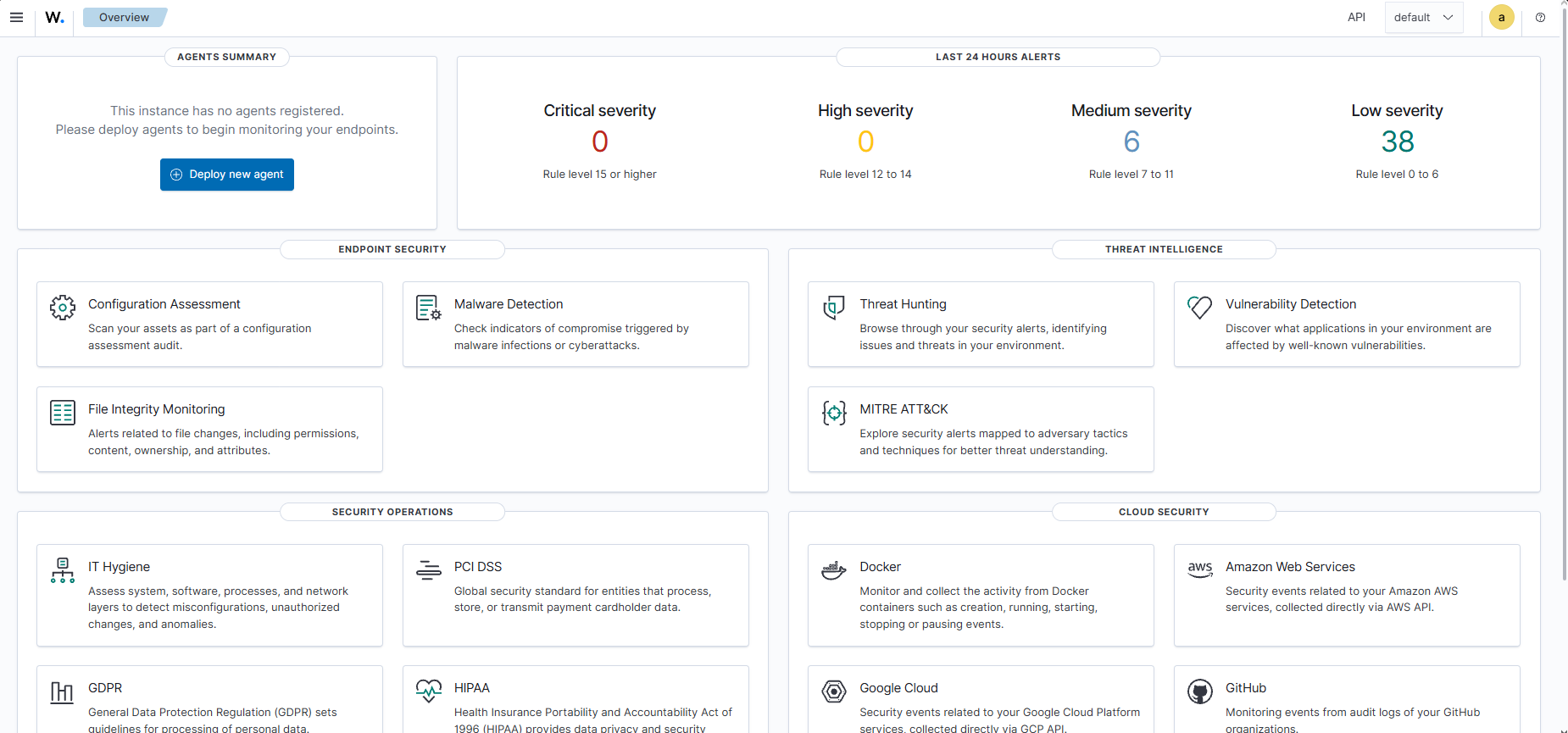
The overview screenshot captures the initial dashboard view and provides a starting point for the next stage of the lab.
The planned expansion is to enroll a Windows endpoint and add Sysmon event collection. This will provide a basis for practicing endpoint monitoring and alert investigation as the lab develops.
A network architecture for a multi-building enterprise.
Explore projectA strategic look at the cybersecurity industry and the security analyst role.
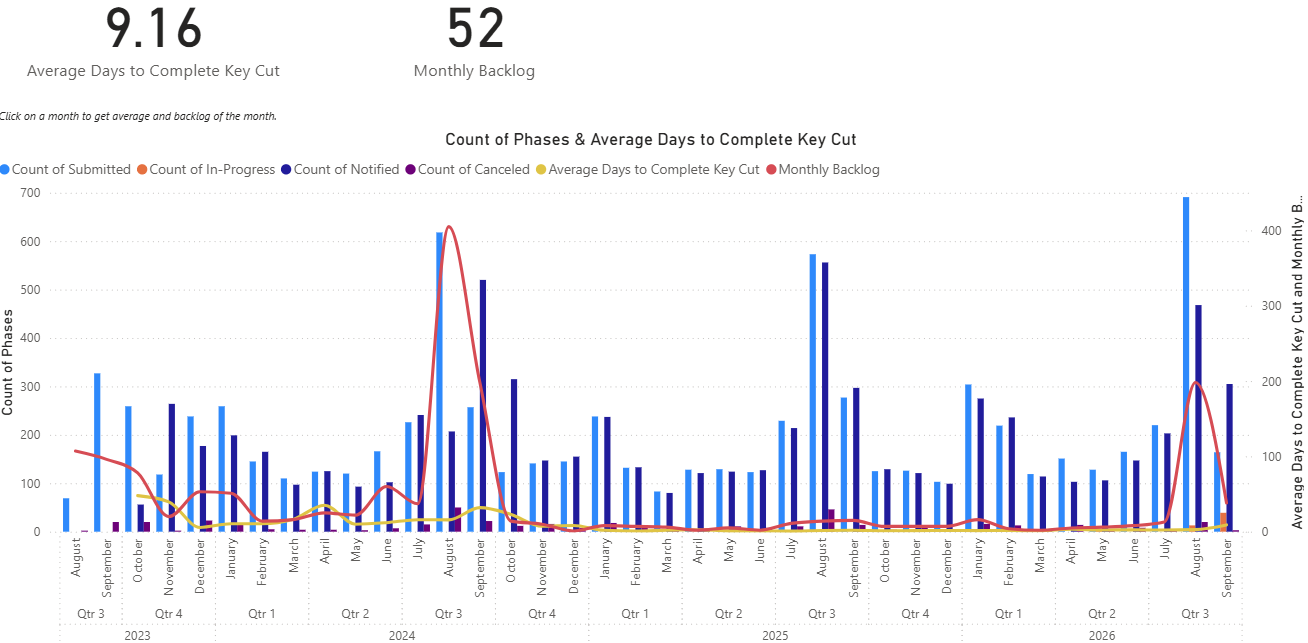
Explore projectA Power BI dashboard for Ingress Management Services and Facilities Services, tracking monthly key-cutting workload, completion time, and backlog trends from 2023 onward.
Explore project